
Best monitor for video editing 2025 professional review
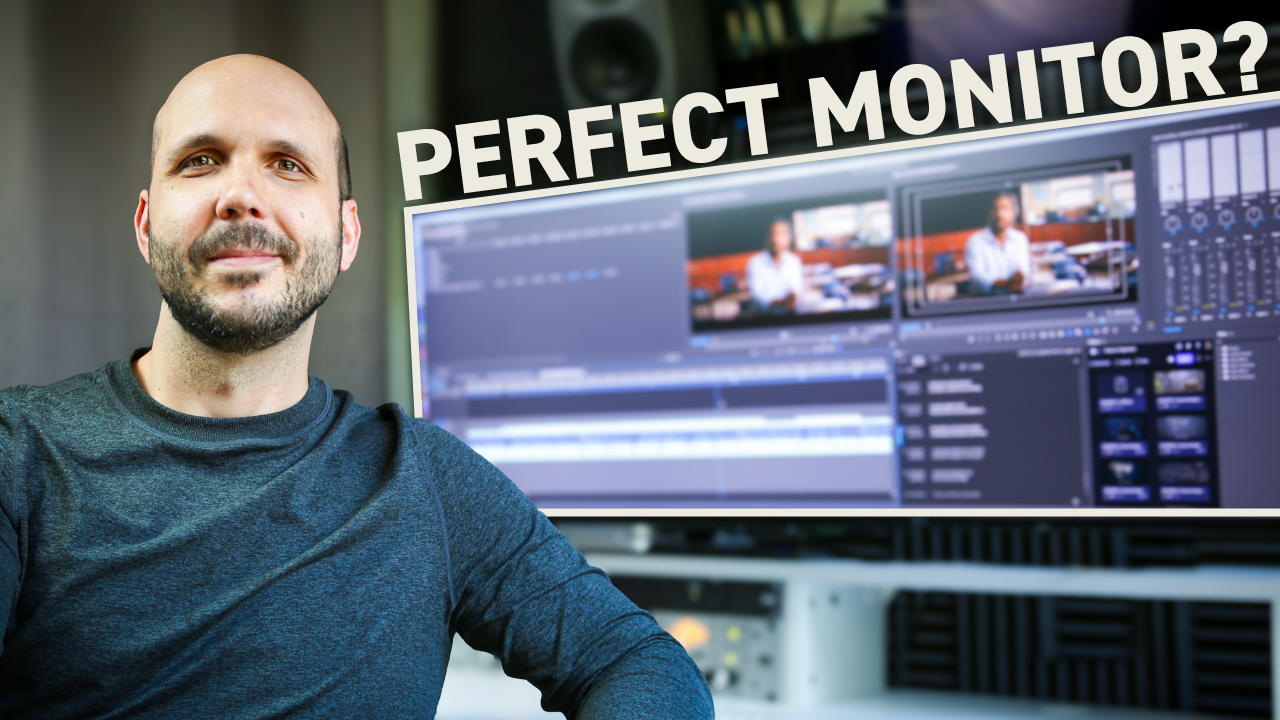
What's the best monitor for video editing in 2025?
The LG 49-inch ultrawide monitor stands out as the top choice for professional video editing, offering uninterrupted screen real estate equivalent to dual 27-inch monitors without the center bezel.
Why I switched to a 49-inch ultrawide after 20 years of editing
I've used every monitor setup imaginable over the past 20 years as a pro editor. For months, I avoided ultrawides because I was worried about the curve — as video editors, we're often the last line of quality control for an image, and I didn't want the curve to skew my perspective.
But after trying some ultrawides in person, I realized different brands and models offer different levels of curvature, ranging from 1,800R to 4,000R, with 4,000R being the most subtle. I went with a 3,800R rating, and the curve is pretty imperceptible to me, especially after 18 months of getting used to it.
The curve actually helps my eyes a bit since our natural peripheral vision follows a curve. For gamers, they might want something on the 1000R end for a more immersive experience, but for video editors, I definitely recommend the 3800R rating.
Physical size vs desktop real estate
Yes, a 49-inch ultrawide monitor is huge, and the stand it comes with will dominate even the largest of desktops. But the actual monitor desktop size is the true game changer.
One of the setups I had for many years was dual 27-inch monitors. Technically, this 49-inch ultrawide has the same amount of desktop real estate but without the bezel between them. That's key because when you have two separate 27-inch monitors, it dictates where you can put your apps. Now, with 49 inches of uninterrupted screen real estate, I can put things wherever I want.
Here's what I typically have open on my desktop: my dock on the left where I can open any app with one click, multiple browser windows, email on the top left, Frame.io below it for client notes, stock libraries like Artlist or Epidemic Sound, and a couple of Finder windows. Then Premiere takes up about two-thirds of my desktop — project window, source monitor, program monitor, multiple timelines, audio meters, audio track mixer, effects panel, effect controls panel, text panel for captioning, and Essential Graphics panel.
That's quite a lot of things always open on my desktop. I rarely have to switch apps or move windows around, and because of that, this has been a game changer.
Connectivity advantages
When I had a dual monitor setup, I was taking up two Thunderbolt ports on my Mac Studio just for monitors. Now that I have that streamlined down to one, I have more space for things like my audio interface and hard drives. Learn how professional editors organize their workspace for maximum efficiency.
Nobody likes to deal with power cables, so getting that down to one as well is a huge bonus.
Matte finish matters for color accuracy
One computer I had earlier in my career was an iMac with a 5K 27-inch display. While I loved the resolution, I did not like the glossy finish. Way back when Apple would offer an upgrade to a matte finish, I would always choose that. I think it's a better picture reference when editing, and this LG has a beautiful matte finish that I love.
The only real con: price
There's only one con with my 49-inch LG ultrawide, and you might have already guessed it — the price. The model I have has been slightly refreshed and currently lists on Amazon for a little under $1,200.
But for all the features and the fact that I can have my apps always laid out exactly like I want them, it makes this worth it for me. Download this proven system that shows you how top editors set up their workflows for maximum efficiency.
Two upgrades that'll take any monitor to the next level
Color calibration tool
I recommend investing in a color calibration tool, like one from Calibrite or Spyder. This comes with a device that you place on your monitor, and it pairs with software to take measurements and help you change the settings to get into an accurate color space, like Rec. 709.
You'd be surprised at how wonky monitor settings can be when they come from the factory. Even if you're not doing final color correction on this monitor, I think it's great to get as close as possible while you're editing.
Monitor arm for desk space
What about all that desktop space that big, bulky stands take up? That can be solved by buying a monitor arm that allows you to mount your ultrawide to your desk. Not only does it clear up all that desk space, but then you can easily adjust the height for the best viewing angle.
This ultrawide monitor has been my best productivity upgrade in my 20-year editing career. If you're serious about taking your editing to the professional level, Edit Like A Broadcast Pro will show you how to create emotionally-impactful edits that win serious clients with real budgets.
